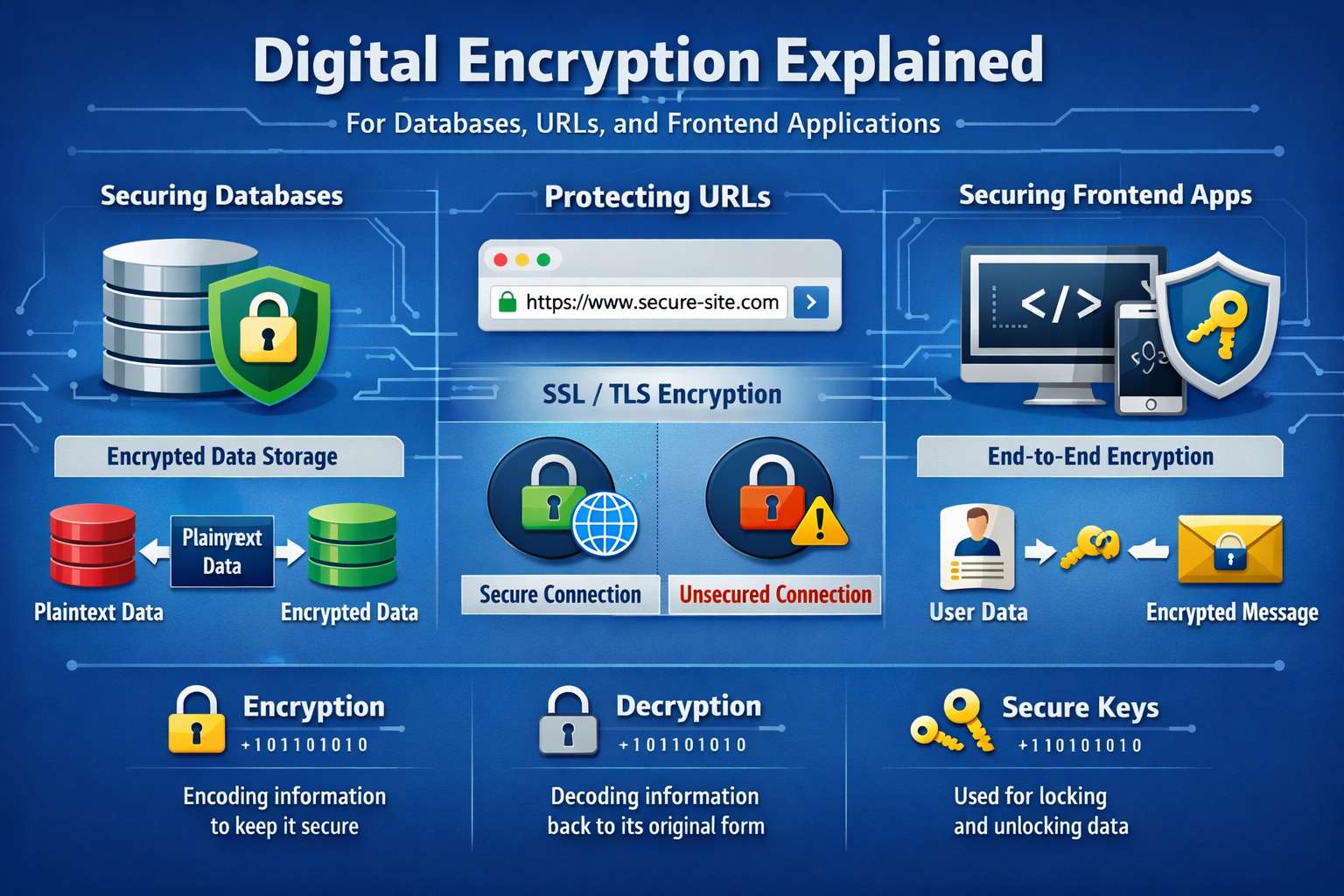
Digital Encryption Explained for tech security

Encryption Explained for Databases, URLs, and Frontend Apps (The Way Nobody Actually Teaches It)
Nobody tells you how embarrassing it is to ship a production app and realize three months later that you've been storing passwords in plain text. Or that your API is sending tokens over HTTP because you forgot to enforce HTTPS in one environment. These aren't rare mistakes. They're extremely common, and the reason is that most encryption content online is either too academic or too surface-level to be useful when you're actually writing code at 11pm.
So let me just talk through what actually matters, where things go wrong, and how encryption actually shows up in daily development work.
Why Most Developers Understand Encryption Wrong
There's a mental model that trips people up early: they think encryption means "scrambling data so nobody can read it." That's partially true, but it misses the point in practice.
Encryption is really about trust — who gets to prove they're allowed to see or modify something, and how does the system verify that without being lied to?
When you keep that in mind, the specific tools and techniques stop feeling like magic and start making more sense.
Databases: The Place Where People Get Sloppy
Most security breaches don't happen because someone cracked your encryption. They happen because the sensitive data was never encrypted in the first place, or it was encrypted in a way that's trivial to reverse.
For passwords, hashing is what you want — not encryption. This is a subtle distinction that matters a lot. Encryption is reversible. Hashing isn't supposed to be. You hash the password when someone sets it, then compare hashes when they log in. You never store the plain password, and you never decrypt it.
The go-to here is bcrypt or Argon2. If you see an older codebase using MD5 or SHA1 for passwords, that's a real problem — those are fast hashing algorithms, which sounds good, but fast means a brute-force attack can try billions of guesses per second. bcrypt is intentionally slow. That slowness is the feature.
For other sensitive fields — credit card numbers, health data, government IDs — you actually do need reversible encryption because you need to use that data later. AES-256 is the standard. You encrypt before storing, decrypt only when needed, and keep the encryption key separate from the database. Keeping the key in the same server as the database basically defeats the purpose.
Key management is the part nobody wants to deal with. Most teams start by putting the key in an environment variable, which is fine for getting started. But the more serious approach involves dedicated tools — AWS KMS, HashiCorp Vault, Google Cloud KMS. These also give you key rotation, which matters a lot when a key gets exposed.
URLs: The Part That Feels Safe But Often Isn't
HTTPS handles transport encryption — data is encrypted between the client and server while it's traveling. That's not optional anymore. But here's where developers sometimes get confused: HTTPS doesn't mean your URLs are private.
Query parameters — the stuff after the ? — show up in server logs, browser history, referrer headers, and analytics tools. So putting sensitive data in a URL like /reset?token=abc123&email=user@example.com is a real risk. That token can end up in places you never intended.
The rule: anything sensitive goes in the request body, not the URL. Password reset tokens, session tokens, anything that grants access — POST it. Don't GET it.
Frontend: Where Encryption Gets Genuinely Tricky
The hard truth: you can't truly secure secrets in client-side JavaScript. Whatever is in the browser is accessible to anyone who opens developer tools. If you're encrypting something in JavaScript and the key is also in JavaScript, you haven't protected anything — you've just added obfuscation.
JWTs are probably the most common thing frontend developers deal with regularly. A JWT is a token the server signs after authentication. The important thing: a signed JWT is not the same as an encrypted JWT. A standard JWT is base64-encoded, meaning anyone can decode the payload and read what's inside. The signature just proves it hasn't been tampered with. Don't put sensitive data in a JWT payload unless you're using JWE — the encrypted variant.
Where to store JWTs is its own debate. LocalStorage is convenient but vulnerable to XSS — if an attacker can run JavaScript on your page, they can read it. HttpOnly cookies can't be accessed by JavaScript at all, which makes them safer, though they bring CSRF considerations. The more mature pattern I've seen is HttpOnly cookies with SameSite attributes and CSRF tokens, rather than localStorage. But it genuinely depends on your architecture.
TLS: What Actually Happens Behind That Lock Icon
TLS is what HTTPS actually runs on. When a browser connects over HTTPS, they do a handshake — the server presents a certificate, the browser verifies it, they negotiate an encryption algorithm, and all traffic is encrypted from there.
Certificates expire. When they do, browsers show warnings that drive users away hard. Let's Encrypt solved a lot of this with free, auto-renewing certs. If you're not using something like Certbot or managed TLS in your deployment, certificate expiration will eventually bite you.
One mistake I see on the backend: configuring servers to accept TLS 1.0 or 1.1 alongside 1.2 and 1.3 for "compatibility." TLS 1.0 and 1.1 have known vulnerabilities. Disable them unless you have a very specific reason not to.
HTTPS Isn't the Same as Authorization — Say It Louder
Your API being on HTTPS means traffic is encrypted in transit. It does not mean your endpoints are secure. If your authorization logic is wrong, someone with a valid token can access data they shouldn't.
Encryption protects data in transit. Authorization controls what people can actually do. You need both. Treating HTTPS as a security checkbox and not thinking about authorization is how you end up with APIs that are technically encrypted but still completely exposed.
The Things That Actually Matter More Than People Think
Encryption is only as strong as your key management. The algorithm matters less than where and how you're storing the keys. This gets deprioritized until it's too late.
Encrypting data at rest means nothing if your database backups are unencrypted. Think about every place data lands — database, backups, logs, exports — not just primary storage.
Logs are a silent leak. Sensitive data ends up in logs through error messages, request logging, stack traces. Be explicit about what gets logged.
And learning why bcrypt works for passwords, what makes AES-256 strong, how TLS handshakes actually function — that takes a few weeks of deliberate reading. But it pays off because you'll know when a shortcut is acceptable and when it's actually a risk.
If I Were Auditing a Codebase Right Now
- Are passwords hashed with bcrypt or Argon2, with salts?
- Are encryption keys stored separately from the data they protect?
- Is anything sensitive leaking through URL query parameters?
- Is HTTPS enforced everywhere, including redirects and internal services?
- Are JWTs stored in HttpOnly cookies or localStorage — and does the team know the tradeoff?
- Are old TLS versions disabled?
- Are logs being checked for accidental token or PII exposure?
None of this is exotic. It just quietly goes wrong when you're moving fast and not thinking about it deliberately.